Up Next
Your Airtable tasks in the bar, ticked off in one click.
An Airtable plugin for the Omarchy Linux desktop. It shows how many tasks are due today, opens a panel with what's due today, tomorrow, this week and over the next month, and lets you tick tasks off, delete them, or add new ones with dates like "fri" or "in 2 weeks". A guided setup maps any Airtable table, and it works on Airtable's Free and Team plans.
v1.0.1, free and open source, built and maintained by Steve Berg.
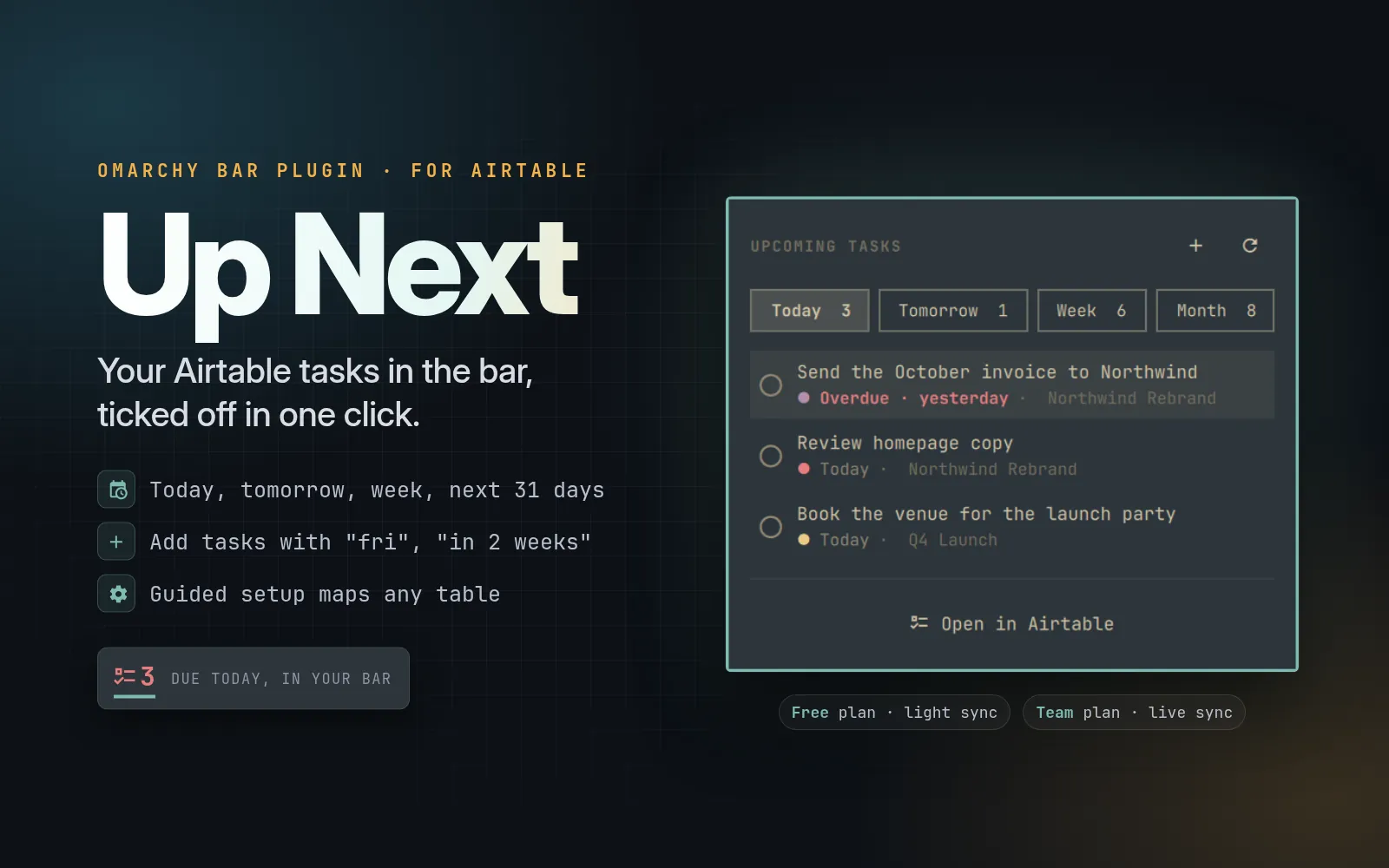
Everything Up Next puts in your bar
Due today, in the bar
A checklist icon and the number of tasks due today, in red when something is overdue. Click it for the full list.
Today, tomorrow, week, month
Tabs for what's due today, tomorrow, this week and over the next 31 days, overdue first, with priority dots and project names.
Tick, delete, done
Click the circle to mark a task done (click again to undo). The trash icon deletes it, after asking once.
Quick add with natural dates
Type a name, pick a project or create one, and write the due date the way you'd say it: "fri", "in 2 weeks", "oct 20".
Works with your table
A guided setup reads your base and matches its fields, so it works with the table you already have, or with the ready-made template.
Free or Team plan
Live sync every 5 minutes on Team. On Free it paces itself to stay inside Airtable's 1,000 API calls a month, and backs off if the limit is reached.
Up and running in minutes
You need
- Omarchy 4 and an Airtable account (the Free plan works).
- A task table with a name, a status and a due date, or a copy of the Up Next template base.
Find Up Next on the Omarchy plugin marketplace, or install it from a terminal:
$ omarchy plugin add https://github.com/SteveB98/omarchy-upnext --enableThen
- 1Run omarchy restart shell so the bar loads the new plugin.
- 2Click the new checklist icon in the bar, then Set up Up Next.
- 3A terminal walks you through it in about two minutes: create an Airtable token, pick your base and table, check the matched fields, and say which plan you're on.
The full guide, settings and troubleshooting are in the README on GitHub.
Your account stays yours
- The Airtable token is stored in the system keyring, never in a plain file, and never appears on a command line.
- The token only needs access to the one base that holds your tasks.
- The only network requests go to api.airtable.com. Links you click open airtable.com pages built from checked record IDs.
- It never asks for admin rights, never installs packages, and never edits your configuration files.
Frequently asked
- Does Up Next work on Airtable's Free plan?
- Yes. The Free plan allows 1,000 API calls per workspace a month, so Up Next refreshes every 30 to 120 minutes, paced to the calls left, and when you open the panel. If Airtable reports the limit, it pauses until the 1st. On Team and higher it refreshes every 5 minutes.
- Do I have to use a specific table layout?
- No. Any table with a name, a single-select status and a due date works. Setup suggests the matching fields and you confirm each one. Priority, start date and a linked projects table are picked up if you have them.
- What dates can I type when adding a task?
- The way you'd say them: today, tomorrow, fri, next mon, +3, oct 20, 10/20, in 3 days, 4 weeks from today, a month from now, next month. The form shows the date it will save before you add the task.
- Can I delete tasks by accident?
- Deleting takes two clicks on the trash icon, or pressing x twice. The first only asks, and moving to another task cancels it.
Need something custom built for your business? Start a project.